
Mach-O Comparison
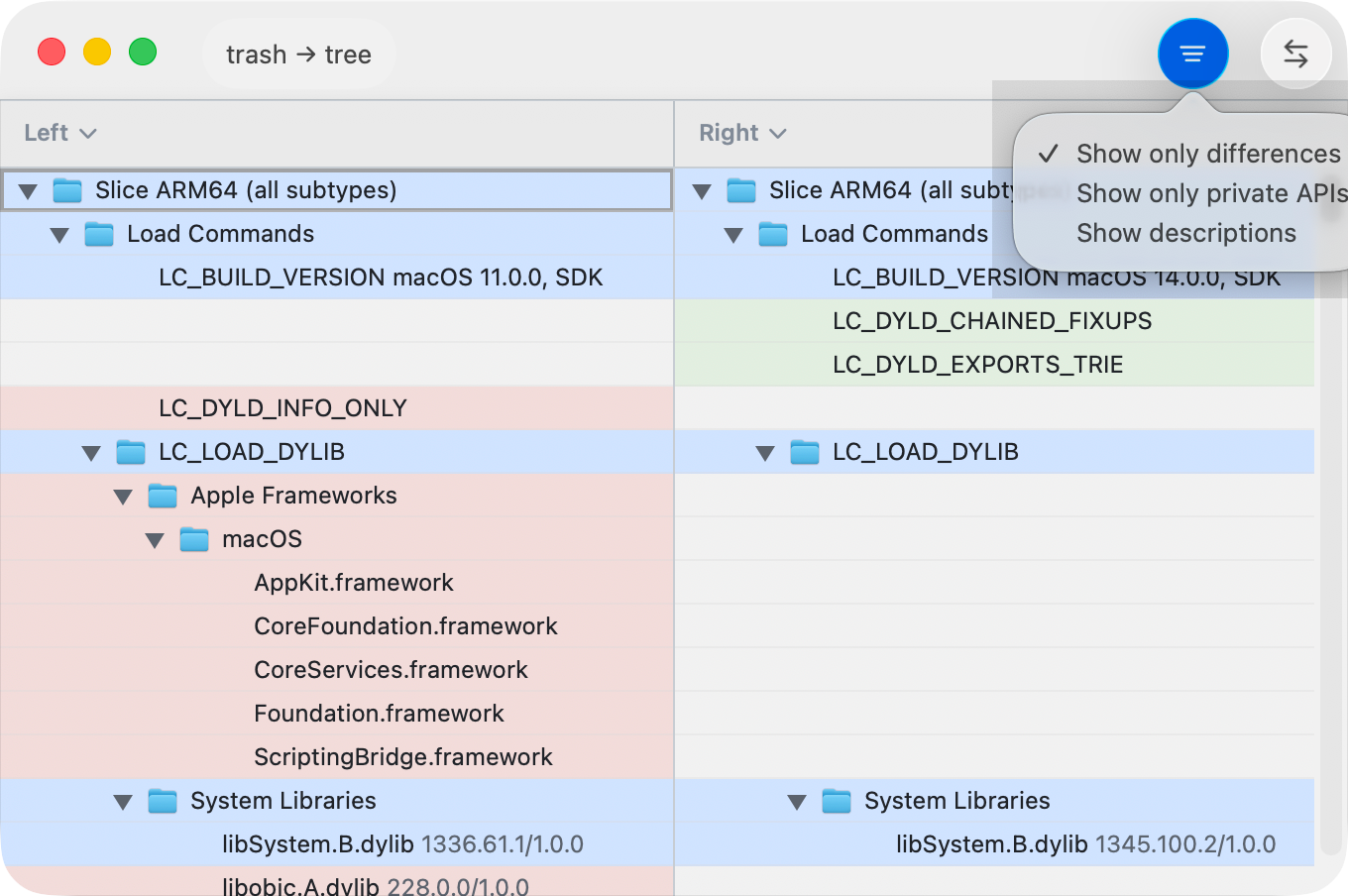
ABDiff can compare Mach-O binaries in a structured, read-only tree. This view is useful for reviewing platform targets, dependencies, and API surface changes.
Start a Mach-O Comparison
- Drop two Mach-O binaries into the window to open the Mach-O comparison view.
- Drop one Mach-O file onto a pane to replace just that side.
What the View Shows
- A two-column tree with indentation and disclosure controls.
- Differences are highlighted using the same added/removed/modified colors as other comparisons.
- The filename pill at the top-left opens file info for key metadata such as size, CPU slices, platform version, segment count, runtime paths, and exports.
Tree Structure
Each Mach-O file is grouped by architecture slice (for example,
Slice arm64) and then by category:
- Header — CPU, file type, header flags.
- Load Commands — platform + min OS + SDK versions, dylib dependencies, and rpaths.
- Private API Candidates — heuristic signals from private frameworks, imported symbols, runtime lookup APIs, and suspicious strings.
- Segments — memory layout segments with optional descriptions.
- Exports — public symbols grouped into Objective-C, C/C++, compiler-generated, and demangled Swift symbols.
View Options
Use the bottom bar options menu to customize the tree:
- Show only differences hides equal entries while keeping ancestor groups with changes.
- Show only private APIs narrows the tree to heuristic private-API candidates while keeping their ancestor groups.
- Show descriptions toggles descriptive suffixes for most elements.
Private API candidates are heuristic. They can show strong evidence such as a linked private framework, or softer signals such as runtime lookup helpers and suspicious string literals.
Key Navigation
| Action | Shortcut |
|---|---|
| Previous / next row | ↑ / ↓ |
| Previous / next change | ⌥↑ / ⌥↓ |
| Jump to first / last row | ⌘↑ / ⌘↓ |
| Switch active pane | ⇥ |
| Expand / collapse group | → / ← |
⌥↑/⌥↓targets changed leaf rows and skips group rows.- If a target changed row is inside collapsed groups, ancestors are expanded automatically.
- On leaf rows,
←/→switches panes only when the target pane has content.
Read-Only Behavior
Mach-O comparison is informational only. Editing is disabled.