
Video Comparison
Video mode compares two videos on a shared timeline with synchronized playback controls.
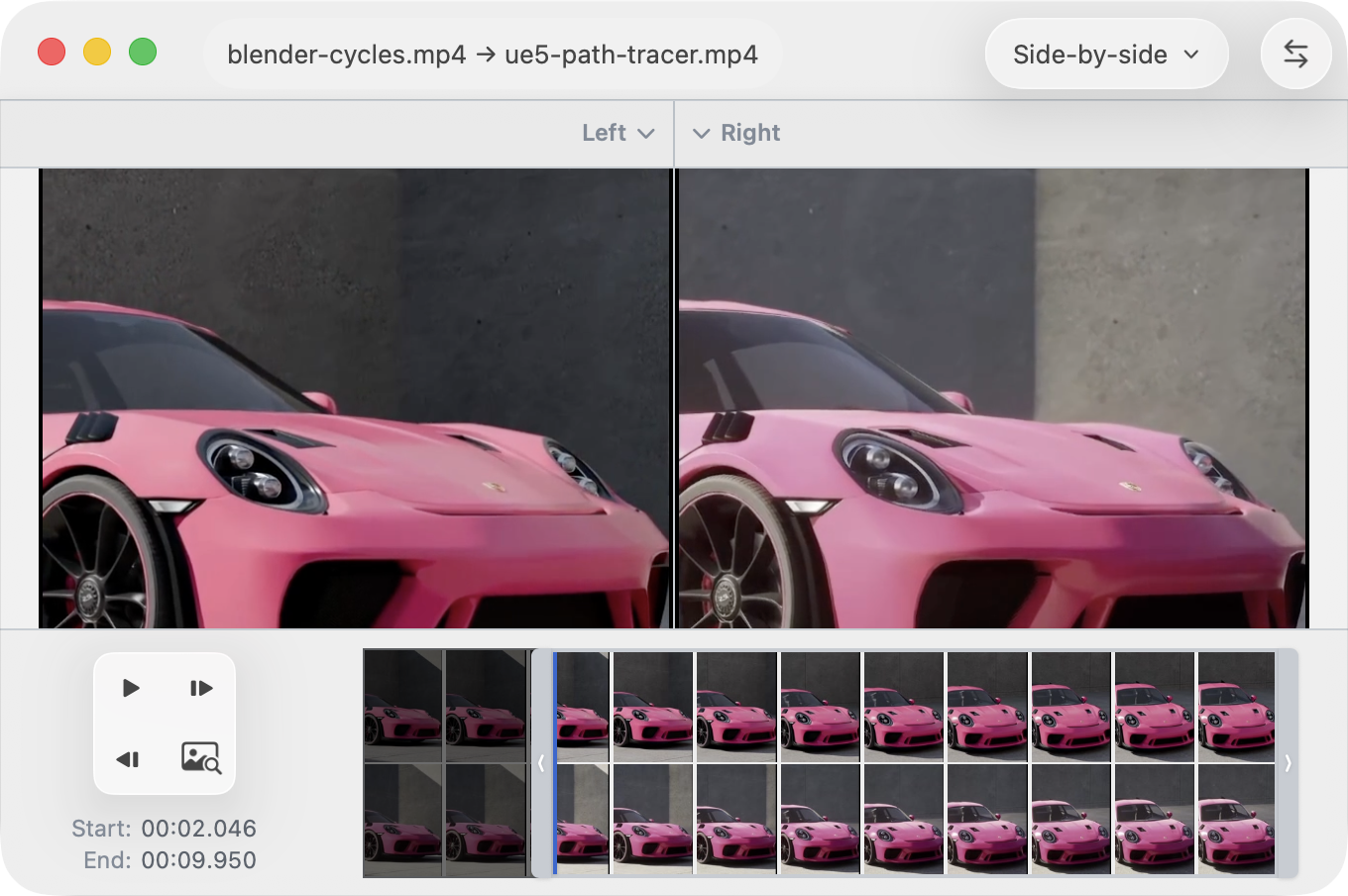
Start a Video Comparison
- Drop two video files to open video comparison.
- If one video is already loaded, drop another video to complete the pair.
- Use File ▸ Swap Files to flip left and right quickly.
Compare Modes
Video comparison supports two viewing modes:
- Side-by-side (default): left and right videos are shown next to each other.
- Split: one canvas with a draggable split line that reveals one video against the other.
You can switch compare mode from the toolbar mode menu.
Playback and Timeline Controls
The bottom bar provides synchronized controls for both videos:
- Repeat
- Play / Pause
- Next frame
- Timeline scrubber with thumbnails from both videos
Zoom
You can zoom the comparison canvas and pan to inspect detail.
- Zoom using the mouse wheel or right click and choose Zoom ▸ Actual Size (1:1) or Zoom ▸ Fit to Window.
- Pan using click and drag.
- The current zoom percentage is shown in the bottom bar.