
Change Sets
A change set is a read-only view of Git changes. By
default it compares HEAD to the current working tree.
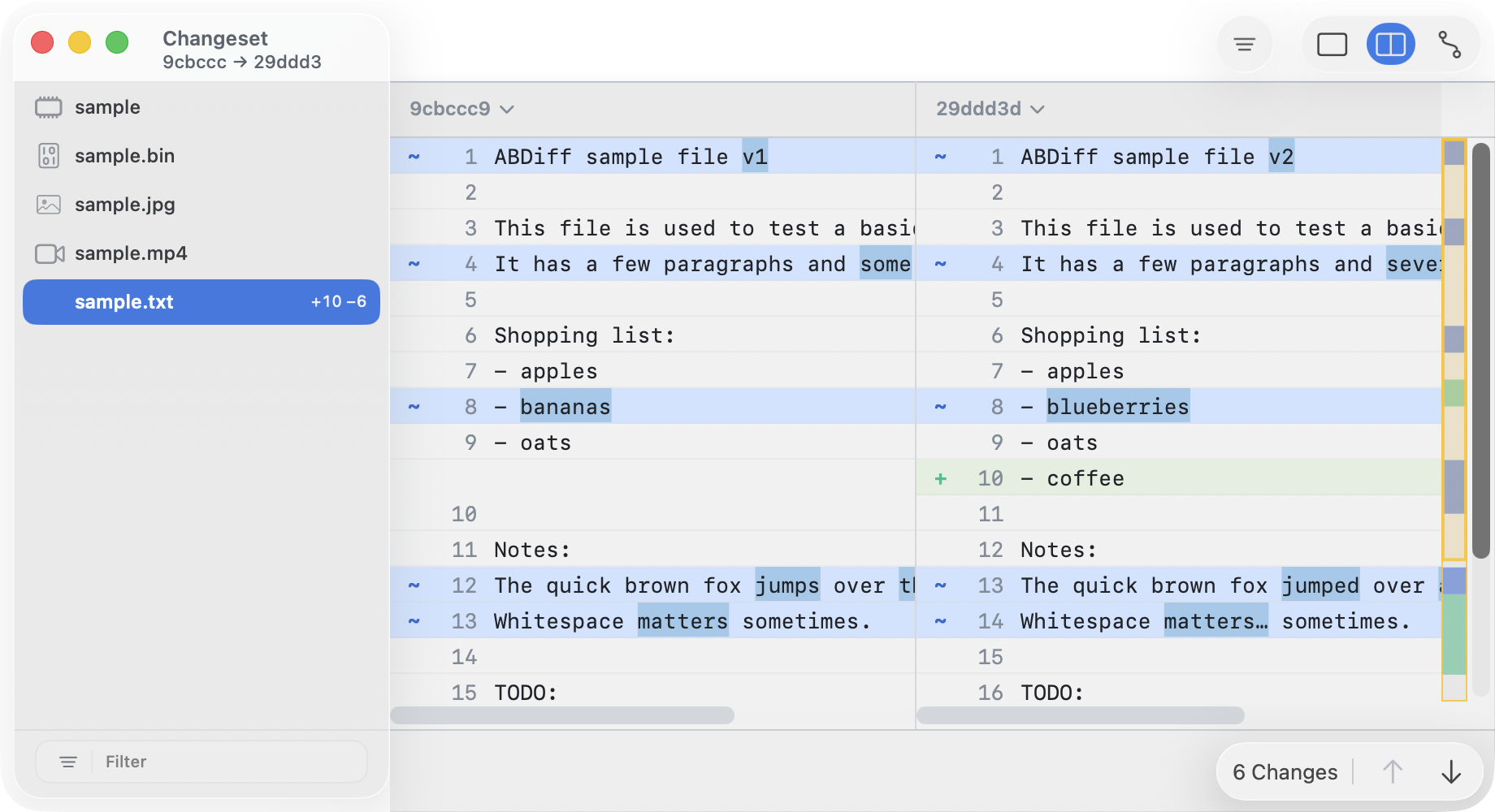
To open it from the terminal run
abd changeset
abd changeset /path/to/repo-or-file
abd changeset --repo /path/to/repo --left <commitA> --right <commitB>
To open it from Tower, select two commits, right click and choose Compare.
Layout
- The left sidebar lists changed files.
- Git-backed change sets show the compared refs at the top.
- Folder-backed change sets omit that subtitle.
- The filter field narrows the list by name, relative path, or file type.
- The grouping menu can regroup rows by change kind or by file type.
- The right side opens the selected file in the matching viewer.
- Right-click a row and choose Show File Info to inspect file metadata from the sidebar.
ABDiff reuses its normal viewers inside a change set, so a selected row may open a text diff, image comparison, video comparison, Mach-O comparison, or hex diff.
Navigation
- Use ↑ and ↓ in the sidebar to move between files.
- Use the filter field when the list is large.
Folder Changeset (beta)
Apart from passing Git references you can also pass folders:
abd changeset --left-dir <dirA> --right-dir <dirB>The resulting screen will show files changed on the left, and a diff for each file on the right. File operations are disabled, the purpose of a changeset is to review changes.