Git workflows on macOS
Git Diff Tool for macOS
ABDiff is a native Git diff and merge tool for macOS that works with git difftool and git mergetool, supports three-way merge, and keeps review local when a plain terminal diff is not enough.
It fits the moments where human judgment matters: reviewing a change visually, resolving conflicts deliberately, or loading an earlier revision into a side-by-side comparison without leaving the app.
git difftool
git mergetool
Three-way merge
Revision loading
Keyboard-first review
ABDiff text diff view
Why use a native Git diff tool?
Text changes are easier to inspect when word-level edits, modified hunks, and pane-to-pane copy actions are visible at once.
Merge conflicts are less error-prone when the result file is the only editable pane and the base, local, and remote versions remain explicit.
Some reviews need semantic or visual judgment rather than a raw line-based patch in the terminal.
What ABDiff adds
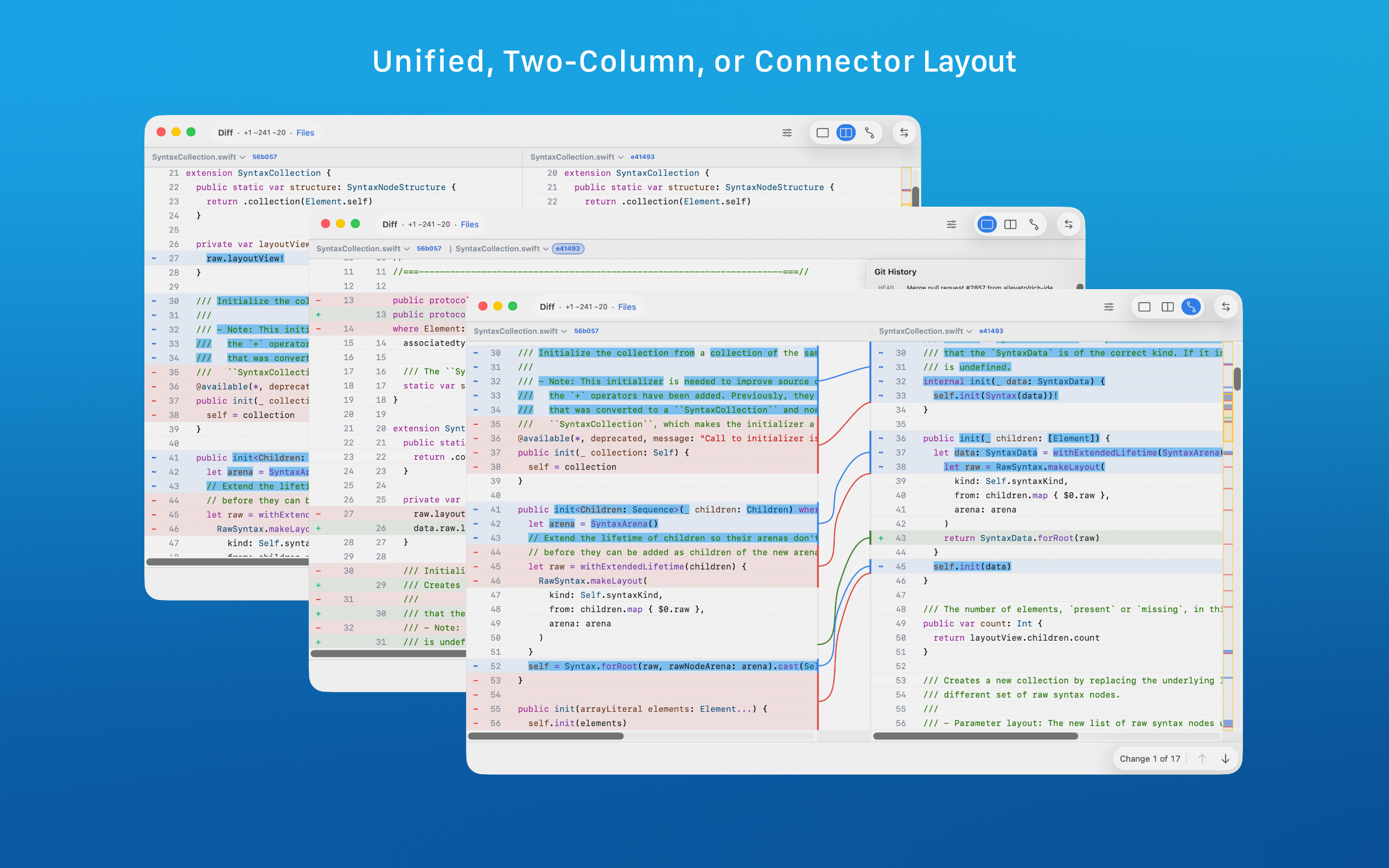
Unified, side-by-side, or connector-based text diff layouts.
Three-way merge with explicit conflict regions and a separate result pane.
Git revision loading inside the diff view for local history review.
Patch export, keyboard navigation, and deliberate local-only workflows.
How ABDiff fits Git workflows
Workflow need
How ABDiff helps
Review changed files from Git
Use git difftool or open files directly for side-by-side review with word-level highlighting.
Resolve merge conflicts
Use git mergetool with BASE, LOCAL, REMOTE, and RESULT inputs mapped into ABDiff's three-way merge interface.
Inspect older revisions
Load previous Git revisions directly into a pane instead of jumping across multiple tools.
Keep repository data local
ABDiff is local-first and does not require file uploads or a cloud review pipeline.
Typical Git setup
git config --global diff.tool abd
git config --global difftool.prompt false
git config --global difftool.abd.cmd 'abd --local "$LOCAL" --remote "$REMOTE"'

git config --global merge.tool abd
git config --global mergetool.abd.trustExitCode true
git config --global mergetool.abd.cmd 'abd --base "$BASE" --local "$LOCAL" --remote "$REMOTE" --result "$MERGED"'
The full configuration and conflict-handling details are documented in the Git integration manual page and the broader Git diff and merge workflows guide.