Rendered output review

Video Comparison Tool for macOS

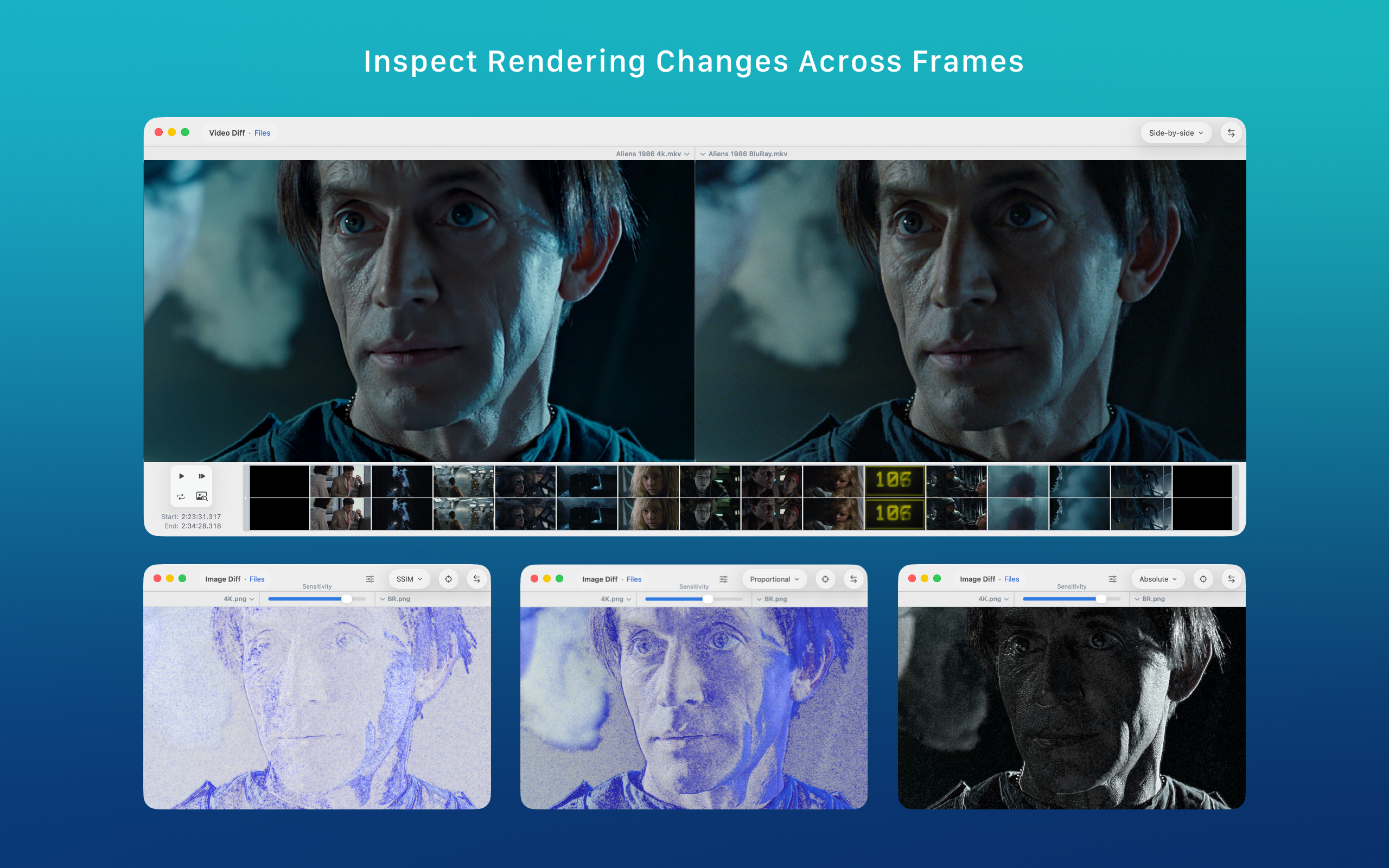
ABDiff compares two videos on macOS with synchronized playback, shared timeline controls, split or side-by-side viewing, frame stepping, zoom, and pan for detailed review.

This is useful when you need more than a static screenshot diff: animation timing, subtle motion changes, or rendering regressions often need frame-aware side-by-side review instead of isolated stills.

  • Synchronized playback
  • Frame-by-frame review
  • Split view
  • Side-by-side view
  • Zoom and pan
ABDiff video comparison view on macOS
ABDiff video comparison view

Good use cases

  • Comparing renders before and after a pipeline change.
  • Inspecting animation or motion differences that screenshots miss.
  • Checking timing, cuts, or subtle movement between two versions.
  • Validating visual output locally without uploading media.

Why a shared timeline helps

  • Playback controls remain synchronized across both videos.
  • Frame stepping is more reliable for precise review than manual scrubbing in separate players.
  • Zoom and pan let you inspect a local region without losing the comparison context.

What ABDiff provides for video review

Need ABDiff approach
Compare overall motion Use side-by-side mode to watch both versions continuously with synchronized playback.
Inspect a localized difference Use split mode, zoom, and pan to focus on a region while keeping both versions aligned in time.
Check a single frame Step frame by frame using shared controls instead of relying on approximate manual seeks.
Review without cloud upload Keep the comparison local on your Mac while still working with a dedicated review interface.

Related pages