Text Diff & Merge
Two-way diff and three-way merge with deliberate editing and review.
- Word-level highlighting
- Connector layout
- Hunk-based editing
- Patch export
 ABDiff
macOS
ABDiff
macOS
Mac file comparison and merge
Native diff and merge for macOS — resolve Git mergetool conflicts in one visual window and compare text, images, video, folders, hex data, and structured binaries.
Native macOS • No file uploads • Local-first
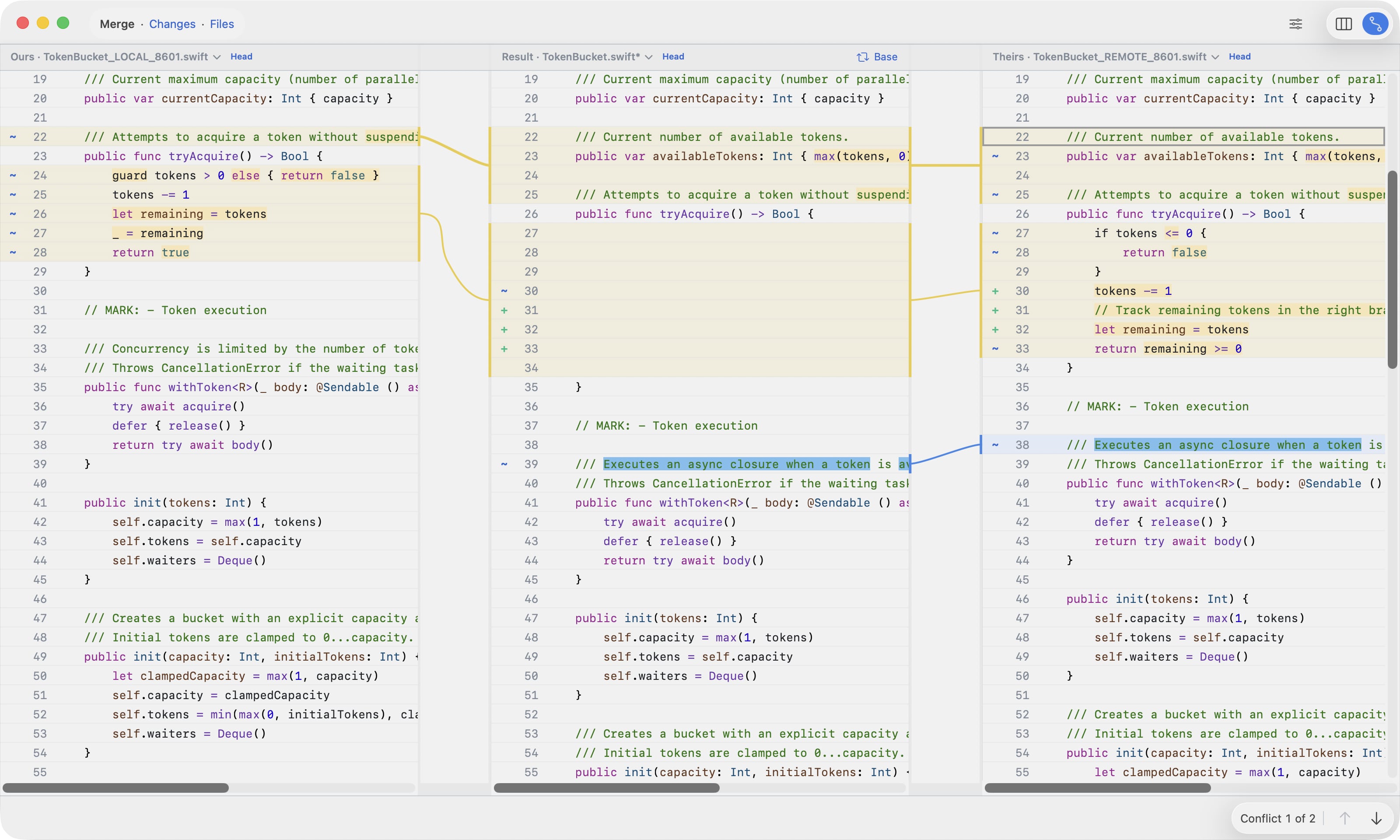
Visual merge
Launch ABDiff from git mergetool to open Local, Result, Remote, and Base context in a single merge window.
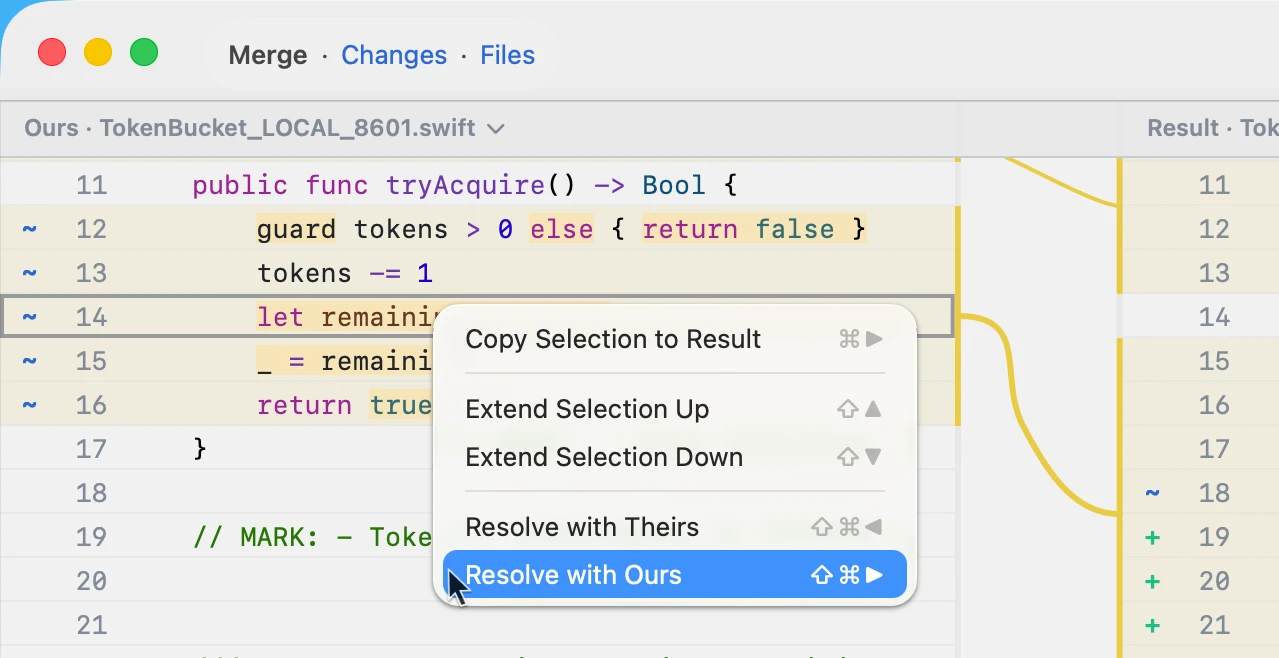
Work through every conflict in one place: resolve with Ours or Theirs, copy selected lines to Result, or edit the Result pane directly.
What is ABDiff?
ABDiff is a macOS diff and merge tool for text, images, video, folders, hex data, and structured binaries, with Git mergetool and CLI workflows.
Built for developers who need precision, not just differences.
Core workflows
Text diff, Git mergetool, and single-window merge workflows come first. Visual, folder, hex, and structured binary comparison extend the same review model.
Start with the category page for Git-driven workflows: Git diff tool for macOS
For visual review workflows, see: Image diff tool for macOS
For differentiators, see: Video comparison for macOS Mach-O diff tool for macOS
Two-way diff and three-way merge with deliberate editing and review.
Use ABDiff from Git, the terminal, and editor workflows.
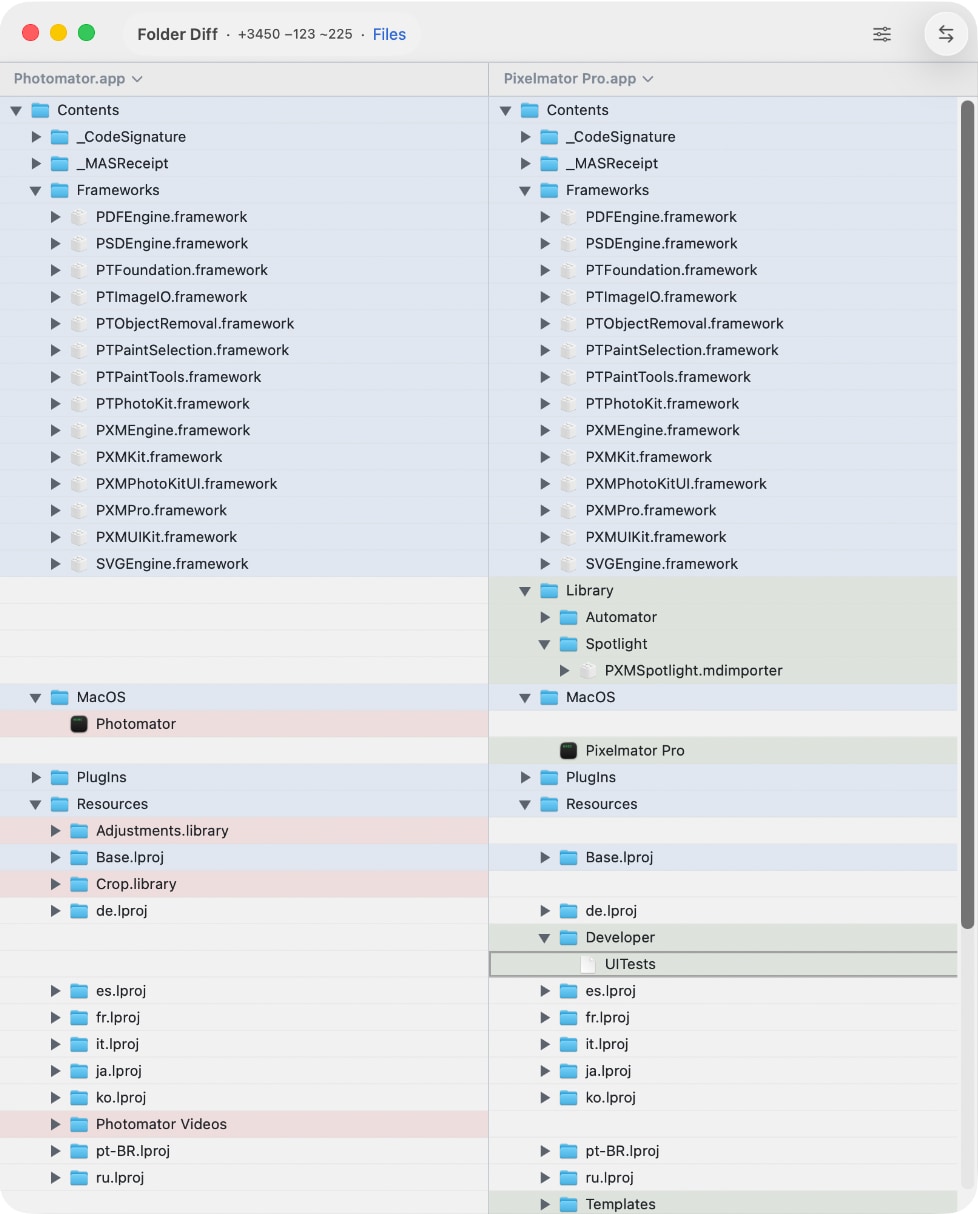
Compare directory trees with project-scale context.
Unified, side-by-side, or connector layouts.
Word-level highlighting inside changed lines
Works with git difftool and mergetool
Includes alignment strategies, zoom, and pan for precise inspection.
Split and crossfade for human review
SSIM analysis
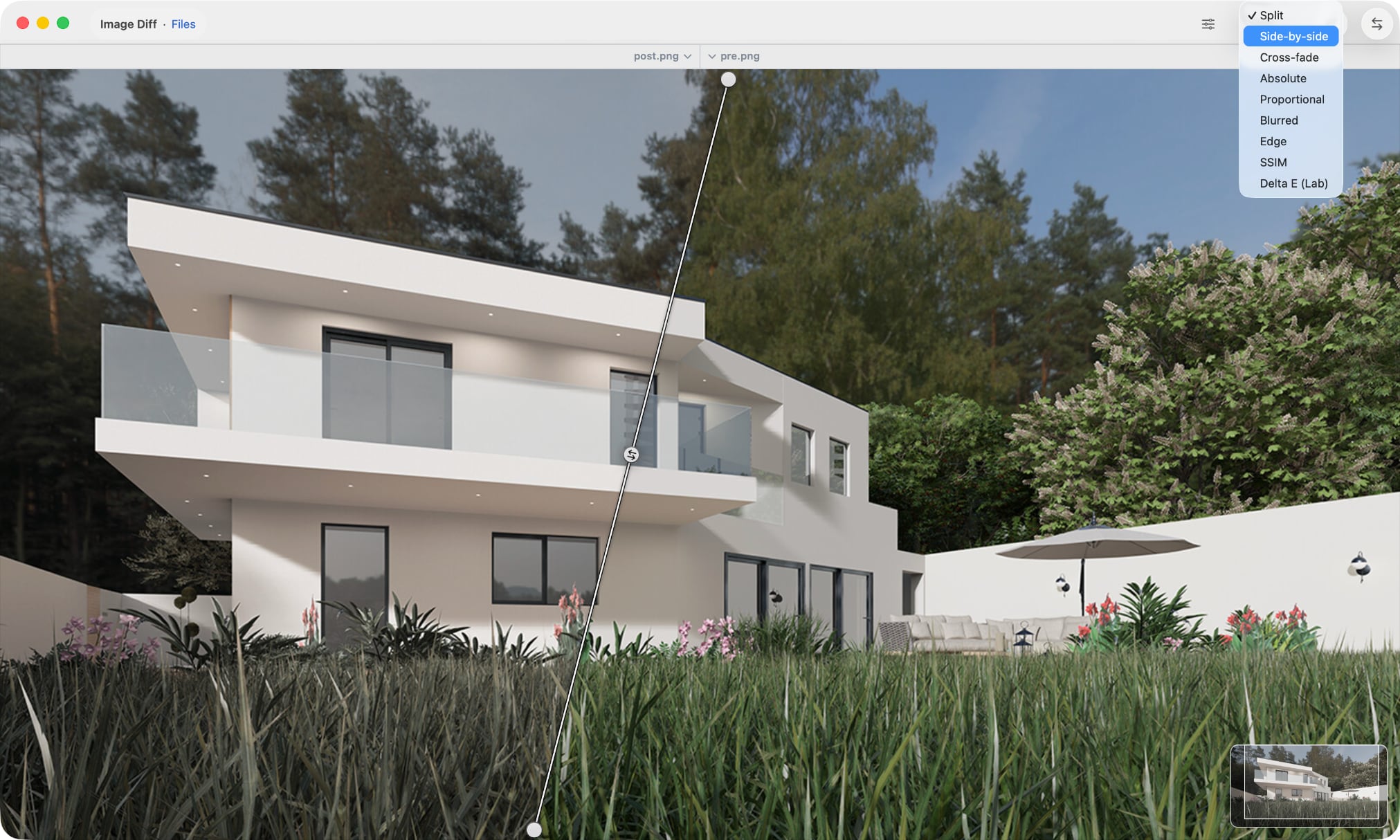
Ideal for visual regression, rendering validation, and motion checks.
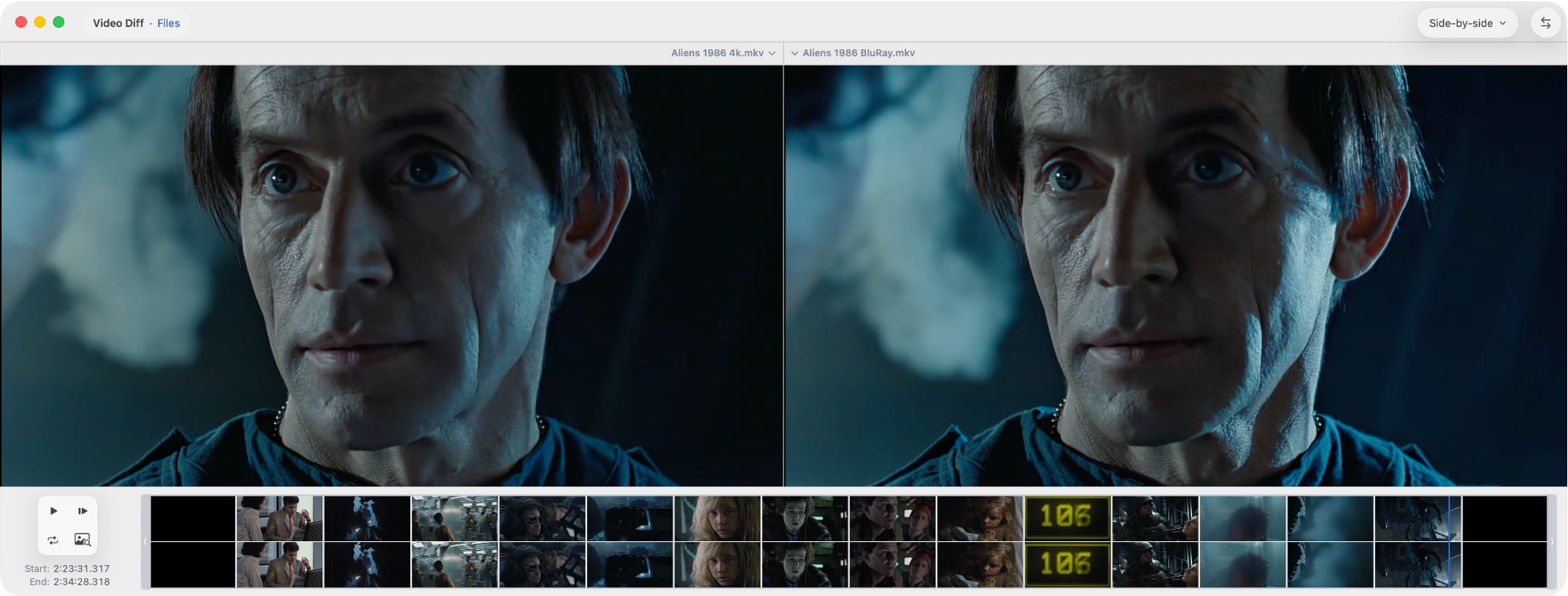
Side-by-side or split comparison
Frame-by-frame inspection
Designed for real project diffs, not toy examples.
Relative path alignment
Expandable change navigation
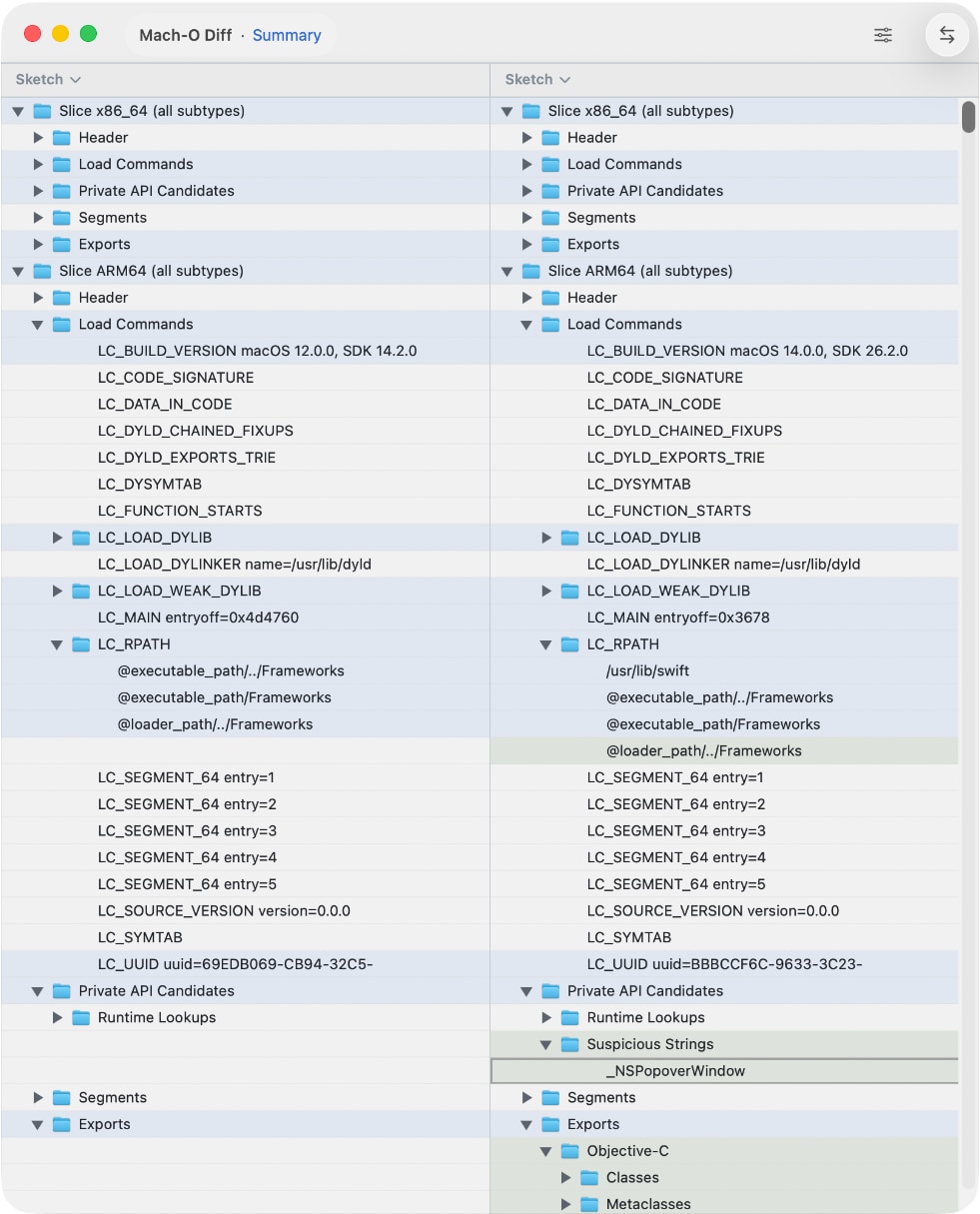
Byte-level hex diff and standalone hex viewing, with structured read-only views for Mach-O and other recognized formats.
Hex and ASCII columns for raw byte review
Structural trees linked to byte ranges
FAQ
Short answers about file types, Git workflows, image review, and local privacy.
ABDiff compares text files, images, videos, folders, arbitrary binary files in hex, and structured binary formats including Mach-O. It also supports merge workflows for text and includes a command-line tool for Git and other integrations.
Yes. ABDiff can be configured as a Git difftool and mergetool through the abd command-line tool, including single-window three-way merge workflows for conflicted files.
Yes. ABDiff supports three-way merge for text files on macOS, with explicit conflict regions, a result-focused editing model, and Git mergetool integration that opens the merge in one visual window.
Yes. ABDiff includes the abd command-line tool for launching comparisons from scripts, terminal workflows, IDEs, and Git. It also supports CI-style image comparison with metrics and exit codes.
Yes. ABDiff includes byte-level hex diff for arbitrary binary files, a standalone hex viewer for single-file inspection, and structured read-only views for recognized formats including Mach-O.
ABDiff is designed for local review on macOS. It does not operate a developer backend for document processing, does not upload your files to the developer, and does not use developer telemetry.
Fresh workflow notes, product deep dives, and release context. Articles are currently in English.
Comparisons
Manual
Use the Mac App Store listing for the download page, GitHub for support, and the privacy policy for App Store review requirements.